Automation and coding tools for pet projects on the Apple hardware
One doesn’t need to look back to the 1980s to find computers that have built-in ways of automating them
This blog is a great way to track the evolution of my thinking. For example, over 9 years ago, I wrote about how modern computers are Overcomplicated for the purposes of teaching:
So, how do we introduce programming to children? Algorithmic thinking is an important skill for a 21st-century world even if you don’t end up becoming a software engineer. I have shown my 6 year old daughter how to program in MIT Scratch. To spice things up I put the Scratch itself on a USB stick and showed her how to load and save her programs. She seems to get it.
What is needed, however, is a very simple computer that boots into the BASIC interpreter much like the home computers of 1980s. Programmable calculators fulfill this goal to an extent and by all means should be introduced in schools at a very early stage. But nothing excites the imagination as a more tangible computer with tools that help a child produce a shareable executable program they can show off. Raspberry Pi is extremely intriguing and I am tempted to order one. But then – my kids are still too young to appreciate it and I am too busy, but I know a day is coming when I am going to show them how to get a small inexpensive computer do amazing things.
My daughter is now learning Java1 in high school. I would like to review the topic of the complexity associated with programming modern computers.
I think computers should come with all the tools needed to code them.
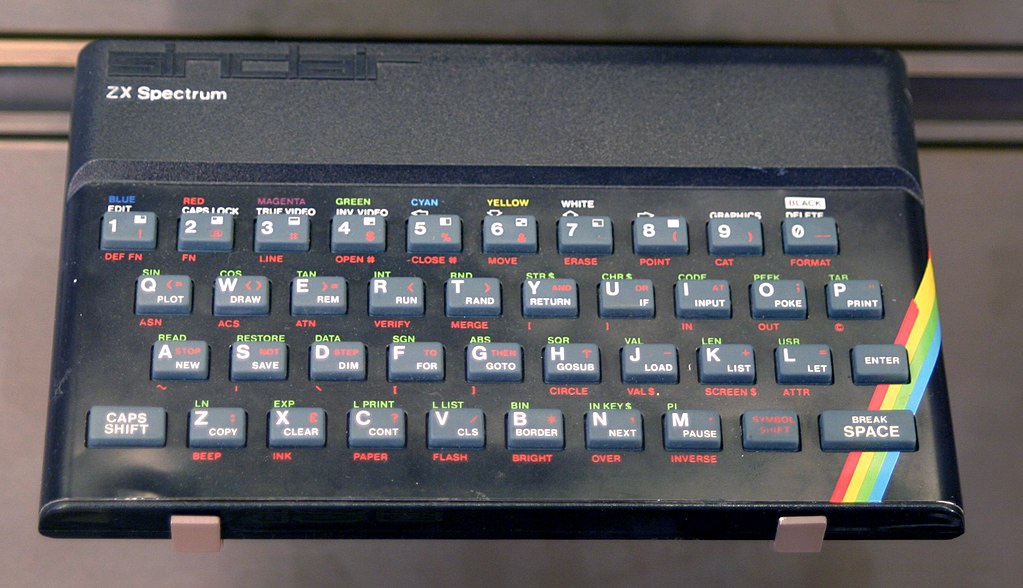
.jpg)
I miss the days of things like Commodore 64 or Sinclair ZX Spectrum when you could go to a RadioShack and buy a computer. When you plugged it in and turned it on, it would boot into a BASIC interpreter and say READY on the screen. It was as if it would say, “The world is your oyster! Go forth and be creative!”
In high school, I used programmable calculators of one kind or another. Those devices boot straight into a programming language interpreter, and you can code them right away.
Another computer that I used in the past was a Psion Series 5 palmtop. Aside from the built-in apps for word processing, spreadsheets, and organizing, it had a built-in BASIC-like programming language called OPL.
It is very complex to get started with the coding on a modern computer. The choices of programming languages are suffocating, and the ceremony of getting set up to write code is overwhelming.
Since 2013 I’ve dissected my thoughts on this subject, and my thoughts have evolved. What is needed is not so much a built-in programming language as a way to automate tasks, and I think in 2022, we are in a better state than we were in 2013. I am an Apple fan, so I will focus on the Apple world.
Here is where we are concerning built-in support for automation. I focus on readily available tools that don’t require additional steps, such as creating different user names and accounts.
Spreadsheets
Many people use spreadsheets to automate tasks without realizing they are actually writing code. Apple provides Numbers as part of their core experience.
Shortcuts
All iOS, iPadOS, and macOS devices come with the ability to create complex workflows using Shortcuts. The scripts can get quite complicated and can be used to coordinate activities across apps.
Swift Playgrounds
I really do miss computers of old that booted straight into a BASIC interpreter.
Swift Playgrounds gets pretty close to that. Swift is a programming language Apple created specifically for their devices. It is relatively simple to learn and can be used for anything from simple automation to arcade games, just like BASIC could be used on the 1980s computers.
Swift Playgrounds on the iPad reminds me of the OPL interpreter on my Psion Series 5.
Some last thoughts
Though modern computers are a lot more complex in many ways, Apple does understand the need of power users and students to explore and create. In another post, I will explore my setup for pet coding projects and automation that go beyond Numbers, Shortcuts, and Swift Playgrounds.
- Java is not a good first programming language to learn, but we’ll revisit it in another post ↩︎