What can we learn from the last week's salesforce.com outage ?
May 15, 2016
On May 10 Salesforce experienced a day-long outage and lost four hours of customer data. As of May 14, Salesforce is still in degraded state. There is a number of lessons we can learn from this.
You give some, you gain some at each level of the cloud stack
At the lowest level is private on-premise cloud where the customer retains all control over the well being of the system. If the system is down the responsibility is with the IT department to bring it back up.
At IaaS and PaaS level, the cloud provider such as AWS or Azure is responsible for the maintenance and up-time of the infrastructure, but the reliable performance of applications is up to the customer. The IaaS vendor offers tools like multi-AZ redundancy and database snapshots but it is up to the customer to take advantage of these tools.
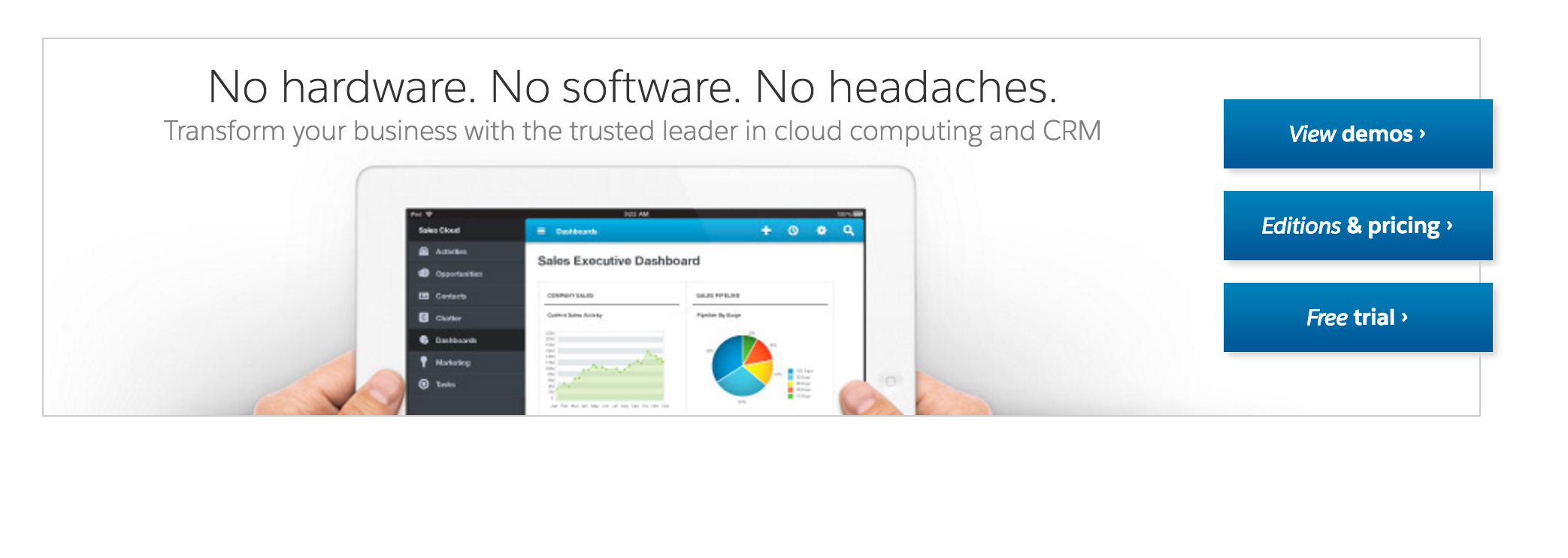
Salesforce.com operates at the SaaS level where the responsibility for the up-time is entirely with the vendor. Salesforce routinely uses slogans like “No hardware. No software. No headaches. Salesforce developer training professionals.” For the most part, their claim is true.
[caption id="attachment_404" align="alignnone" width="2086"] “No hardware. No software. No headaches” screenshot pulled from here.[/caption]
Yes, headaches!
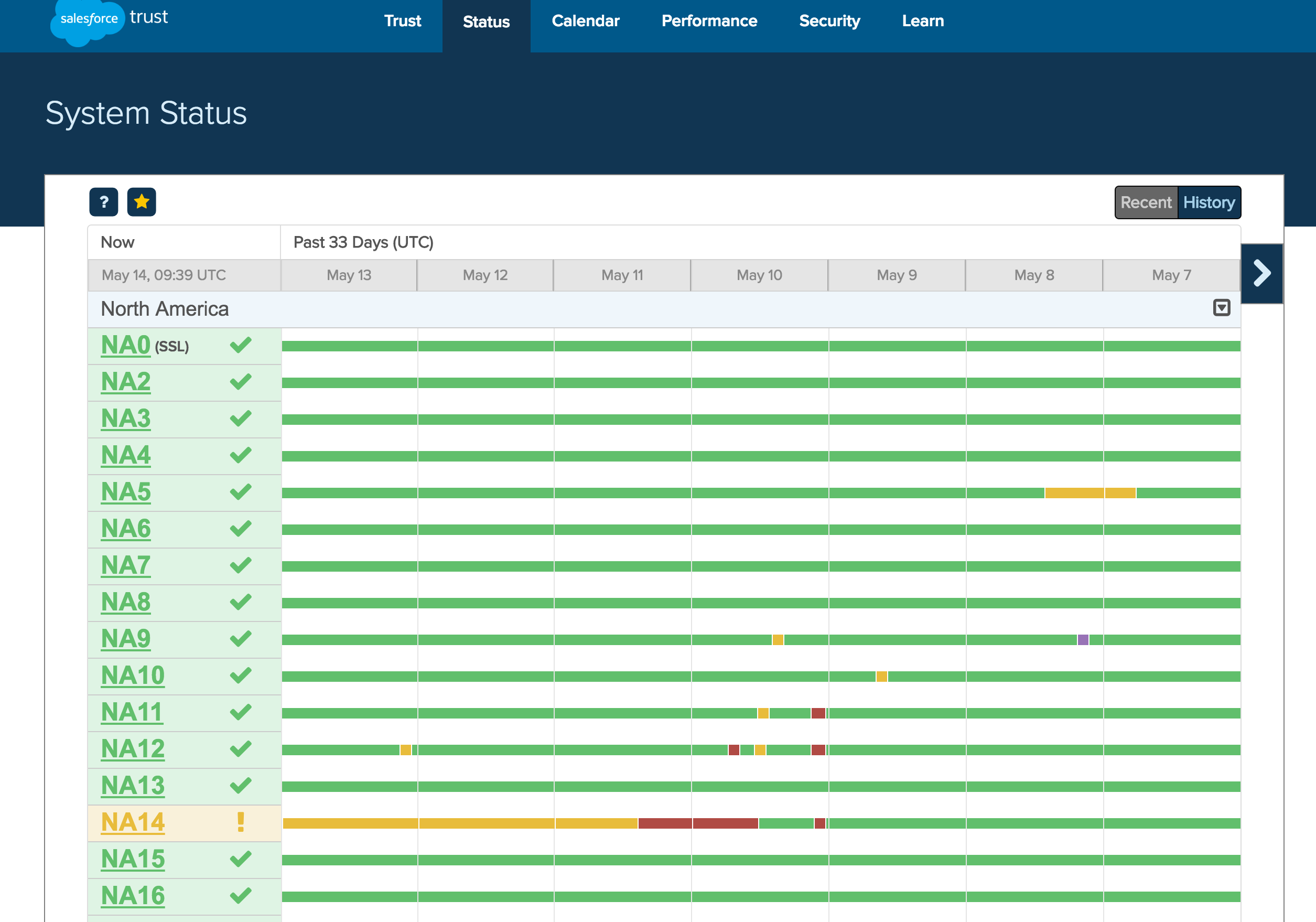
Salesforce’s NA14 instance was down for four hours on May 10th, and in degraded state ever since.
[caption id="attachment_412" align="alignnone" width="2510"] Screenshot of Salesforce NA14 instance state, as of May 14th, 2016, pulled from "trust" report[/caption]
Headaches come when a software architecture flaw with your SaaS vendor’s system results in you losing hours of data and more scheduled outages. Sales, ERP and CRM software is mission critical for many enterprises as SaaS outages can result in missed sales opportunities and damaged relationships with their own customers.
Customers should be on separate instances, each with its own up-time guarantees
Why does Salesforce have so many customers on a single database instance is a question their customers should ask of them. Customer should insist on having separate database instances with provisioned performance and up-time guarantees. Such separation solves a number of problems and creates a more positive experience for our cloud customers.
The first, is a noisy-neighbor problem. This is a situation where one customer’s application and workload degrades performance of another customer.
By having each customer on their own dedicated database instance with provisioned perfomance the SaaS vendor can address each customer’s performance needs individually, including automatically scaled read-replicas.
Since each customer has a dedicated database instance, maintenance activities can be scheduled when it is convenient to the customer.
Outages can and do happen with database instances, but they are isolated to individual customers.
What about database failover ?
A report in eWeek states that the outage was caused by a “file integrity issue”:
The failure was caused by a “file integrity issue” and was resolved by restoring the database from an earlier backup.
Salesforce also noted, “We have determined that data written to the NA14 instance between 9:53 UTC and 14:53 UTC on May 10, 2016, could not be restored.”
File integrity issues can happen due to a number of causes, but many of them can be mitigated by having multi-AZ failover. In a master-slave configuration, the slave can be promoted in the event of the master failure and all new queries can be routed to the new master.
In case of an infrastructure failure (for example, instance hardware failure, storage failure, or network disruption), Amazon RDS performs an automatic failover to the standby, so that you can resume database operations as soon as the failover is complete. Since the endpoint for your DB Instance remains the same after a failover, your application can resume database operation without the need for manual administrative intervention.
One problem that multi-AZ failover doesn’t solve is a situation where the data corruption was caused by a software bug – the only way to recover is from a backup. However, this isn’t likely the case with Salesforce since there was no indication that new software was pushed to the affected NA14 instance.
SaaS customers should insist on off-line capability
Customers should treat Internet and SaaS outages as disasters and develop contingency plans. This has little to do with the cloud itself, and everything to do with the general preparedness of the enterprise to continue to do business.
On-premise infrastructure is at least as likely to face outages as cloud infrastructure. Internet providers may have problems, there could be hardware issues, and someone in the machine room could step on a cable and unplug a critical server.
Writing for CIO.com John Brandon recommends that customers develop contingency plans so that knowledge workers can continue to be productive in the event of cloud outages. Offline sync plays a critical role in allowing users to continue working with minimal disruption and sync with the system when it is available again:
“The two most prevalent business productivity and collaboration tools – Microsoft Office 365 and Google Apps – now enable offline functionality in their desktop applications, enabling document creation and editing with transparent syncing of files when connected,” adds Sumeet Sabharwal, vice president and general manager of NaviSite. “These same offline features also extended into their mobile application which also enable a rich user experience on tablets and smartphone devices while providing the users the convenience of portability.”
Outages come in many forms, they can be simple LTE or Wifi issues, and they can be system-wide problems. Just like an electric utility company may offer some of their most sensitive customers automatic standby generators, a SaaS vendor should offer optional off-line sync capability.
With well thought-out off-line sync users can continue work on most of their data on their mobile devices during an outage. While they may not be able to get some real-time data, they can at least operate with what they have on their mobile devices. The system can synchronize all devices with the cloud once it becomes available again.
Software escrows don’t fit the cloud model
Salesforce.com is unlikely to go out of business anytime soon, but as a general rule this is not a reason to be complacent. There is no other SaaS platform that requires a tighter vendor lock-in than Salesforce.com with their proprietary programming language and SQL dialect.
Cloud is different and escrow is not the cure-all that many think. If a customer has opted for a public cloud SaaS offering, that software will likely be a standardized version offered to all customers. The supplier won’t want to enter into escrow arrangements with all its customers who are paying rock-bottom prices. Even if it’s a bespoke software solution, by the very nature of cloud, there is likely to be very little installed on the client’s equipment. Perhaps it will be accessible by via a web browser. Therefore, the customer won’t even have the object code but will have access to software run on the supplier’s infrastructure.
The recommended approach is prevention: customers should consider their Plan B options in the event of SaaS vendor failure. One of the options involves considering competitors and a possibility that a migration might be necessary.
For the migration option to be viable, the customer should have a plan to backup all of their data outside of the SaaS vendor. SaaS vendor should offer batch export API and tools that the customer can use on a routine basis to export all of the data into a 3rd backup system. Salesforce does offer such API and customers should use it.
Another area to be on the lookout for is proprietary languages, tools and protocols that a SaaS vendor may impose. Salesforce’s Apex is a proprietary Java-like language that cannot run on any platform other than Salesforce. Too much investment in Apex code will most certainly prevent a customer from using an alternative SaaS.
Conclusion
When a cloud vendor experiences problems, everyone talks about it. It is easy to overlook the problems with traditional on-premise software. For instance, not a week goes by when I don’t hear of at least one on-premise customer having an SAP HANA crash, or a SAP ERP outage for several hours at a time.
Problems with SaaS can, do and will happen again. The key is making sure that the vendor offers tools and capabilities to help customers mitigate the impact of outages.
 “No hardware. No software. No headaches” screenshot pulled from here.[/caption]
 Screenshot of Salesforce NA14 instance state, as of May 14th, 2016, pulled from "trust" report[/caption]
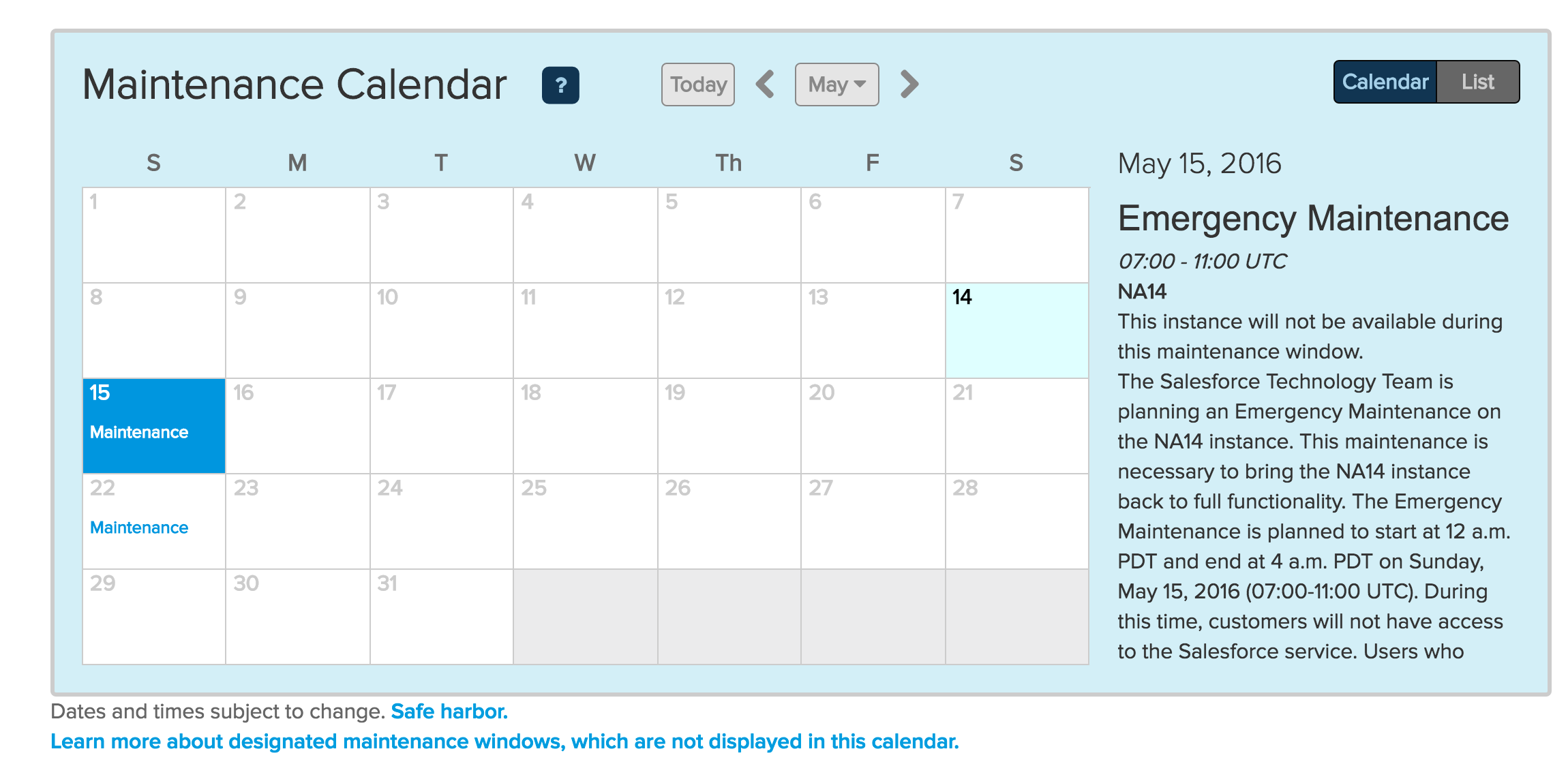 Screenshot of Salesforce NA14 instance maintenance schedule, as of May 14th, 2016[/caption]